
Disclosure: As an Amazon Associate we earn from qualifying purchases. Our Pantheon 2026 review remains honest because we only test features ourselves, so any affiliate link
Pantheon is not conventional managed WordPress hosting with a prettier control panel. It is a WebOps platform built around structured development, repeatable deployments, separate development environments, and collaboration across teams. That distinction explains both its value and its learning curve.
The short verdict: Pantheon is a compelling option for agencies, universities, public-sector teams, and larger organizations that treat a website as an actively developed application. It can be excessive for a small brochure site whose owner simply wants automatic backups and friendly support.
How Pantheon pricing works
Pantheon’s commercial model has two parts: an organizational Workspace plan and a Site Plan for each website. Site pricing and contract options vary by traffic, service level, and organizational requirements. Because enterprise arrangements and published packages can change, request a current quote and compare the total annual cost—not an isolated “starting from” figure.
Your cost model should include:
- the Workspace or organizational subscription;
- the plan attached to each live site;
- expected traffic and overage treatment;
- support and service-level requirements;
- optional advanced security, observability, or professional services;
- staff time saved through a standardized workflow.
Pantheon may look expensive beside ordinary managed hosting. That comparison is incomplete when a development team currently spends significant time maintaining servers, coordinating releases, recovering from inconsistent environments, or policing ad hoc access.
The Dev, Test, and Live workflow
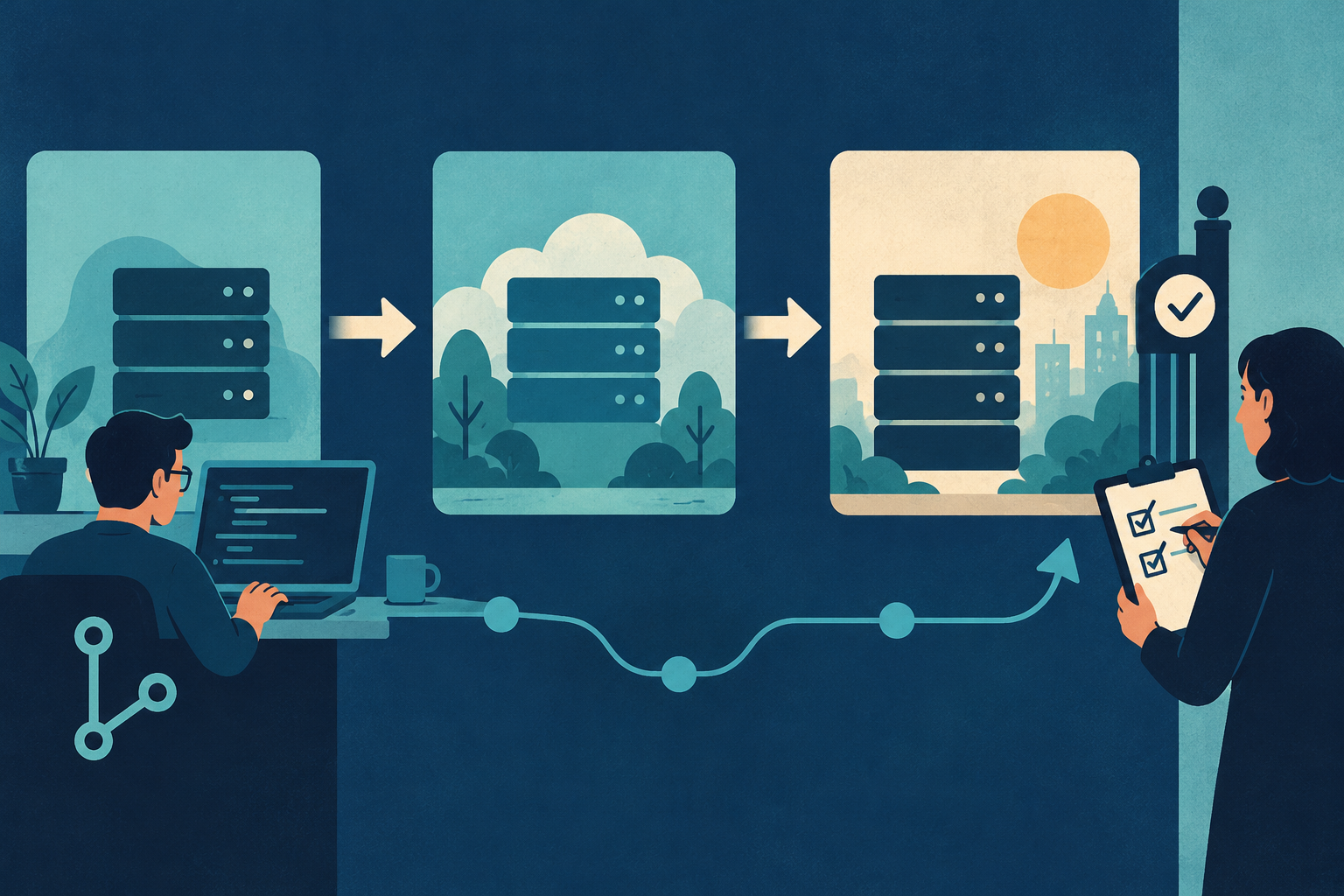
Pantheon’s defining feature is its Dev, Test, and Live environment model. Developers make code changes in Dev, validate them with a copy of production content in Test, and deploy approved code to Live. This creates a clearer path than editing production directly or using an untracked staging subdomain.
Code, files, and database content are treated as distinct assets. That matters on active sites. A developer can move code forward while separately cloning recent database content and uploaded files backward for testing. The workflow reduces the risk of overwriting new form entries, registrations, orders, or editorial changes.
Multidev expands this concept by giving separate branches or feature work their own cloud environments. Agencies can show a client a specific feature, quality-assurance teams can test it, and developers can work concurrently without crowding a single staging site. Availability depends on the applicable plan and workspace, so verify entitlement before purchase.
| Factor | Traditional single staging site | Pantheon Multidev |
|---|---|---|
| Environments per feature/branch | One shared staging site for the whole team | Dedicated cloud environment per branch |
| Parallel QA testing | Teams queue changes and can conflict | Multiple environments run and test simultaneously |
| Risk to production | A broken shared staging site can block other releases | Isolated entirely from the Live environment |
| Client/stakeholder previews | One shared link, features can overwrite each other | Dedicated URL per feature or branch |
| Plan availability | N/A | Varies by plan and workspace; verify entitlement before purchase |
Git-based development
Pantheon supports Git-driven deployments and command-line automation. Teams can use version control as the source of truth for application code instead of relying on manual file transfers. The Terminus command-line interface helps automate operations across sites, while integrations can connect the platform to continuous-integration and project-management processes.
This is excellent for teams that already understand branches, commits, dependency management, and release approvals. It is less comfortable for a site owner accustomed to changing theme files through a hosting file manager. Pantheon’s guardrails are valuable precisely because the platform expects a disciplined workflow.
WordPress administrators can still publish posts and perform normal editorial work. The key difference is that application changes should follow the deployment pipeline. Define clearly who owns WordPress core, plugin, and theme updates, and how emergency fixes return to version control.
Performance architecture
Pantheon uses containerized infrastructure, an edge delivery layer, and platform-managed caching designed to scale without asking customers to tune a traditional server. Its integrated cache can serve anonymous pages efficiently, while the platform handles much of the infrastructure work beneath WordPress.
Performance still depends on the application. Logged-in pages, personalization, searches, form processing, and poorly optimized queries can bypass full-page caching. Third-party scripts can dominate browser load time even when the origin is fast. Treat Pantheon as a strong foundation, not a substitute for performance engineering.
Before launch, load-test representative user journeys rather than only the home page. Include editorial logins, search, forms, API calls, and any e-commerce activity. Monitor cache hit behavior, application errors, database queries, and external dependencies.
Backups, security, and updates
Pantheon provides platform backups and recovery tooling, managed infrastructure, HTTPS, and protections at the edge and application platform layers. Its locked-down architecture reduces several risks associated with mutable servers and untracked production edits.
Customers still own application decisions. Unsupported plugins, vulnerable custom code, excessive administrator privileges, and weak identity practices remain customer risks. Establish update deadlines, require multifactor authentication where available, and keep an independent backup or export for critical continuity needs.
Pantheon’s workflow can make updates safer because teams test changes before release and retain a clearer deployment history. It does not automatically guarantee that every plugin combination is compatible. Visual regression checks and functional tests are especially useful for complex publishing sites.
WordPress developer experience
For developers, Pantheon’s consistency is a major advantage. Environments follow the same platform pattern, teams can use repeatable tooling, and common tasks can be automated. An agency managing dozens of sites no longer needs to remember which client has which bespoke server panel.
There are tradeoffs. Platform constraints can conflict with plugins that expect arbitrary server access, unusual filesystem behavior, or long-running background processes. Teams moving from a custom VPS should review compatibility, cron behavior, file writes, redirects, and caching rules before promising a migration date.
Local development is possible through established WordPress tools and Pantheon’s workflow, but onboarding requires documentation and team practice. Budget time for developers, editors, and release managers to learn the environment model.
Support and organizational governance
Pantheon’s appeal increases when multiple departments or vendors share responsibility for a web portfolio. Workspaces provide centralized visibility and access management. A development partner can collaborate with an internal team without distributing server credentials or inventing a different process for every site.
Support level and response commitments depend on the agreement. During evaluation, ask who can open urgent tickets, what constitutes a platform incident, which application problems are outside scope, and how escalation works. Enterprise buyers should map promised response targets to their own incident plan.
Pantheon versus traditional managed WordPress
A traditional host such as Flywheel or Pressable emphasizes convenience: create a site, migrate WordPress, use staging, and ask support for help. Pantheon emphasizes the lifecycle of continuous website development. Both models are managed, but they solve different operational problems.
Choose conventional managed hosting when a marketer or small agency wants a straightforward dashboard and rarely performs complex releases. Choose Pantheon when developers, quality assurance, editors, and stakeholders need a predictable pipeline and governance across important sites.
Pantheon also competes indirectly with self-managed cloud infrastructure. A custom AWS or Google Cloud build can provide more control, but the organization must design deployment, caching, backups, security, monitoring, and support. Pantheon packages those opinions into a platform.
Who should choose Pantheon?
Pantheon is well suited to:
- development-led agencies maintaining important client sites;
- universities, publishers, nonprofits, and government teams with many stakeholders;
- organizations that require separate development and testing environments;
- teams adopting Git-based deployments and automation;
- website portfolios that benefit from standardized access and governance.
It is a weaker fit for a solo owner with one simple site, users who need a familiar shared-hosting panel, projects requiring unrestricted server control, or teams unwilling to adopt a structured release process.
Editor’s pick: Pantheon
Related reading: Is Managed WordPress Hosting Worth It in 2026?
Final verdict
Pantheon succeeds when evaluated as an operating system for a web team rather than a commodity host. Dev, Test, Live, Git workflows, Multidev options, standardized infrastructure, and centralized collaboration can substantially improve how complex WordPress sites are changed and governed.
The price and process overhead need justification. Run a pilot with a representative site, validate plugin compatibility, rehearse a deployment and rollback, and calculate costs across both the workspace and individual sites. If the workflow solves real organizational friction, Pantheon can be more valuable than a cheaper host that leaves the team to build those controls itself.
Frequently asked questions
Is Pantheon only for enterprise customers?
No, but its workflow delivers the greatest value to professional teams and organizations with ongoing development needs.
Does Pantheon include staging?
Yes. Its core workflow uses separate Dev, Test, and Live environments.
Can nondevelopers publish on Pantheon?
Yes. Editors use WordPress normally, while development teams manage application-code releases through the platform workflow.
Is Pantheon shared hosting?
No. It is a managed WebOps platform with containerized infrastructure, integrated workflows, and edge services.
Does Multidev let teams build and test WordPress features in parallel without breaking production?
Yes. Multidev gives each branch or feature its own cloud environment, so agencies, QA teams, and developers can build and test WordPress features in parallel without touching the Live environment or risking production.


